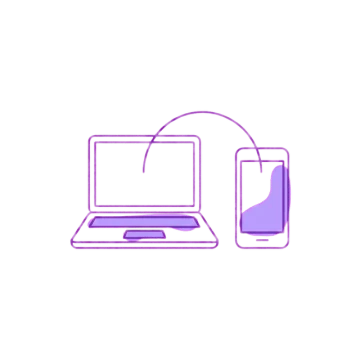
Signing in to DRepTalk normally means connecting a Cardano wallet or signing a challenge with a key. Phones and tablets have no wallet extension to do either of these with, so there is no way to sign anything there. Pairing solves this: you approve the phone from a computer where you are already signed in, and the phone becomes signed in too, without ever handling a key itself.
Install to the home screen first
Install DRepTalk to your home screen before you pair: see Add DRepTalk to your home screen if you have not done that yet. Then pair from inside the installed app on your home screen, not from a tab in your regular mobile browser. The installed app and a browser tab keep completely separate storage, so pairing inside a browser tab will not carry over: the app will still show you as signed out.
Steps
- On your phone or tablet, open the installed DRepTalk app and choose Pair with desktop.
- Tap Show pairing code. A short code appears on screen.
- On a computer where you are already signed in to DRepTalk, open Settings from the account menu and the Devices tab.
- Enter the code shown on your phone, check that the device shown matches what you expect, and confirm.
Your phone picks up the approval automatically and signs itself in. There is nothing more to tap on the phone.
The code expires
The pairing code is valid for ten minutes. If it expires before you get to the computer, tap Get a new code on the phone and try again.
Keep pairing safe
Only approve a code that your own device is showing to you right now. DRepTalk never asks anyone to enter a code that someone else sent them: if you are asked to do that, it is not a legitimate pairing request. As a safeguard, you get a notification whenever a device is paired to your account, so you will always know if one was added.
Undoing a pairing
Devices lists every browser and phone signed in to your account, with the one you are reading on marked. Use Sign out this device on the row you no longer want, or Sign out everywhere, including this device to end every session at once. You can also just sign out on the device itself. Revocation can take a short moment to reach every device, because the change has to propagate to all of them rather than applying instantly everywhere.
Sessions also end on their own: after 30 days without use, and after 90 days in any case, however often you visit. Signing in again takes one wallet signature, or one pairing code on a device without a wallet.
What a paired device can do
A paired phone or tablet is a normal signed-in device: you can read, post, and comment from it just like from a desktop. Voting is the exception, since casting a vote still requires a wallet signature and the paired session has no wallet to sign with. A phone can vote when you open DRepTalk inside your wallet’s in-app browser, otherwise votes are cast from a computer with a connected wallet.